.png)
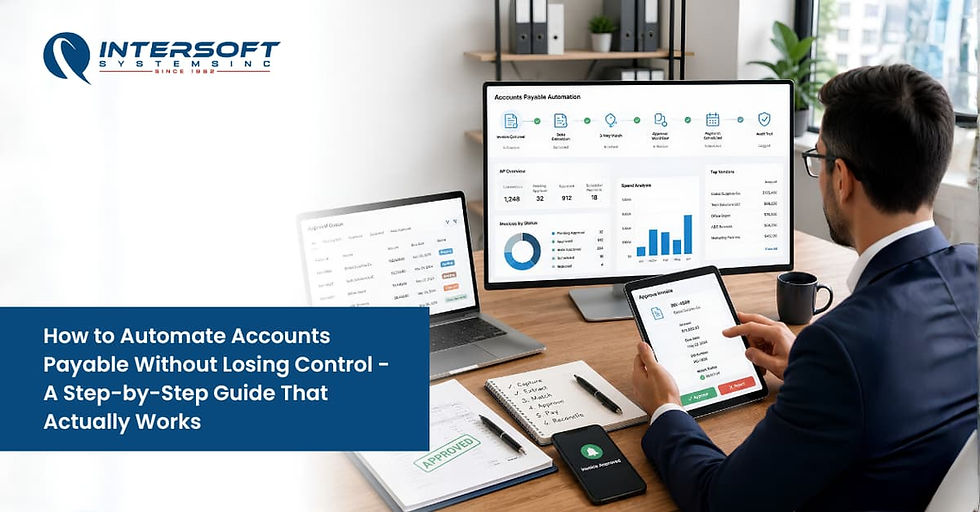
How to Automate Accounts Payable Without Losing Control - A Step-by-Step Guide That Actually Works
Most AP automation projects don't fail because of bad software. They fail because businesses automate the wrong things, in the wrong order, without fixing the process first.
Here's the practical guide:
Why Manual AP Is Already Costing You More Than You Think
Let's start with what staying manual actually costs.
The average cost of processing a single invoice manually is $15, and it takes 14.6 days to complete. Around 39% of those invoices contain errors. Multiply that across your monthly invoice volume and the number gets uncomfortable fast.
63% of AP teams now spend more than 10 hours per week just processing invoices. That's not finance work. That's data entry.
And the fear that automation means losing control? It's understandable, but it's backwards. Manual processes are where you actually lose control. Invoices buried in inboxes, approvals done over email, payments made from memory. That's not control. That's confusing.
Done right, automation gives you more oversight, not less. Here's how.
Simple Steps to Automate Accounts Payable
Step 1: Audit Your Process Before You Touch Any Software
This is the step most businesses skip. It's also why most implementations underperform.
One of the biggest mistakes companies make is trying to automate inefficiencies. Technology amplifies the process you already have, good or bad.
Before buying anything, map your current AP process end to end:
How do invoices enter your business? Email, paper, vendor portal, all three?
How many people touch a single invoice before it's paid?
Where do things get delayed or lost?
Is your vendor master data clean, no duplicates, correct bank details, accurate payment terms?
Clean up the process first. Eliminate redundant approval steps. Standardize invoice formats with vendors. Fix vendor data. Then automate. If you automate a broken process, you just make the mess move faster.
Step 2: Centralize Invoice Intake
Right now, invoices are probably arriving in multiple places simultaneously, email, physical mail, someone's personal inbox, maybe a phone call.
Fix this first. Set up a single dedicated AP email address. Communicate it to all vendors. Make it the only accepted channel.
This one change eliminates a huge percentage of "lost invoice" problems before any software is involved. Once invoices flow consistently to one place, the system can reliably capture them. Until they do, you'll spend more time managing exceptions than the automation saves you.
Step 3: Automate Invoice Capture and Three-Way Matching
This is where software takes over the manual data entry.
Modern AP automation uses AI-powered OCR to read incoming invoices and extract the key data, vendor name, invoice number, amount, due date, line items, automatically. No manual keying.
Manual invoice entry into ERP systems has dropped from 85% in 2023 to 60% in 2024 as more businesses adopt automated capture. The time savings are immediate.
But capture is only half of it. The system should also perform three-way matching automatically comparing the invoice against the purchase order and the receiving document. If all three align, the invoice moves forward without human intervention. If they don't match, it flags for review.
Look for AI-powered capture, not just basic OCR. Basic OCR reads text but stumbles on non-standard invoice layouts. AI learns vendor formats over time and improves accuracy automatically. Best-in-class systems achieve 99% accuracy in data capture, eliminating errors caused by manual entry.
Step 4: Build a Smart Approval Workflow
Here's where most businesses overcomplicate things and kill the efficiency gains.
They automate invoice capture, then route every single invoice through a six-step approval chain. Invoices now arrive faster, and sit in a queue for 12 days. Nothing got better.
Build your workflow around two rules:
Route by exception, not by default. Routine invoices from approved vendors with a matching PO should auto-approve. Only flag invoices that are above a threshold, from new vendors, or have mismatches.
Limit approval steps to what's genuinely necessary. Every unnecessary step is a delay. Every delay is a potential late fee or missed discount.
Configure approvals inside your ERP or AP platform, not over email. Email approvals kill your audit trail and make it impossible to know where any invoice stands at any given moment.
Step 5: Automate Payment Scheduling - Tied to Your Cash Position
Once an invoice is approved, it should be automatically scheduled based on vendor terms. Not when someone gets around to it.
But here's the layer that separates good AP automation from great AP automation:
payment scheduling should connect to your live cash position.
When your AP system knows your current balance and upcoming commitments, it can make intelligent decisions, capture the early payment discount when you have comfortable liquidity, or hold at the standard due date when cash is tighter. Companies using AI-powered AP automation report a 25% increase in cash flow predictability as a direct result of this integration.
Also configure:
Early payment discount flags on any invoice with a 2/10 Net 30 or similar term
Vendor payment preferences, ACH, check, or wire, stored in vendor records and applied automatically
Payment batching to group same-week payments into a single run
Step 6: Set Controls That Enforce Oversight Automatically
This is how you keep control without manual review of every transaction.
Segregation of duties. The person who approves an invoice cannot be the same person who releases payment. Configure this as a system rule, not a policy people remember to follow.
Vendor master data locks. Changes to vendor bank account details should require a separate verification and manager approval. Payment fraud often starts here.
Spend thresholds. Any invoice above a set dollar amount auto-escalates to a senior approver, regardless of vendor relationship.
Full audit trail. Every action on every invoice, who captured it, who approved it, when it was scheduled, when it paid, logged automatically and visible on demand.
AI-powered fraud detection is now integrated into 61% of AP systems, up from 55% in 2024. Automated controls catch things humans miss, especially at volume. Resolve
Step 7: Connect AP to Your Entire Financial System
AP automation that runs in isolation is a half-solution.
When your AP platform connects natively to your General Ledger, Cash Manager, and Bank Reconciliation:
Approved invoices post to the correct GL account automatically, no manual journal entries.
Scheduled payments appear as future outflows in your cash forecast, no Monday morning guesswork.
Payments reconcile against bank transactions automatically, no manual matching at month-end.
88% of AP professionals believe automation empowers their teams to contribute to higher-value business activities. That shift only happens when AP is connected, not when it's a standalone tool that still requires manual data transfers to everything else.
The Result When You Do This Right
A fully automated AP employee can handle more than 23,000 invoices per year, compared to just 6,000 with a manual process. That's not a marginal improvement. It's a structural change in what your team can handle without adding headcount.
Invoice processing time drops from 14+ days to under four. Late fees decrease. Vendor relationships improve. Early payment discounts get captured consistently. And your finance team shifts from data entry to actual decision-making.
At Intersoft ERP, we've been building integrated AP automation for US businesses across construction, retail, and professional services for over 43 years. Our Accounts Payable module connects natively with Cash Manager, General Ledger, Payroll, and Bank Reconciliation, so every step in this guide is built into the platform, not patched together from disconnected tools.
Visit intersoft-erp.com to book a free demo. We'll walk through your current process and show you exactly what your AP looks like on the other side of automation.


Comments